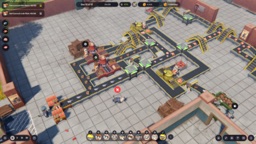
Use the recording to study the layout
The developer’s video names Fairly Sunny Hills directly. Use it to see the footprint of the factory and how the line fits in the available space. The August demo update later added conveyor rotation and machine mirroring, so you may have more placement choices than the April recording shows.
Compare the layout with your order board
The developer describes campaign stages with different objectives, layouts, weather, and victory requirements. Read the conditions on the screen in your build before copying the recorded layout. Choose stations based on what your selected order requires and where those stations connect.
Test one fish from intake to loading
For a raw-fish order, check whether the route gets the fish from fishing to loading. If the order calls for processing, trace the line through the required station before shipping. Watch the first item reach its destination before you add a splitter or expand the line.